 DevPOS
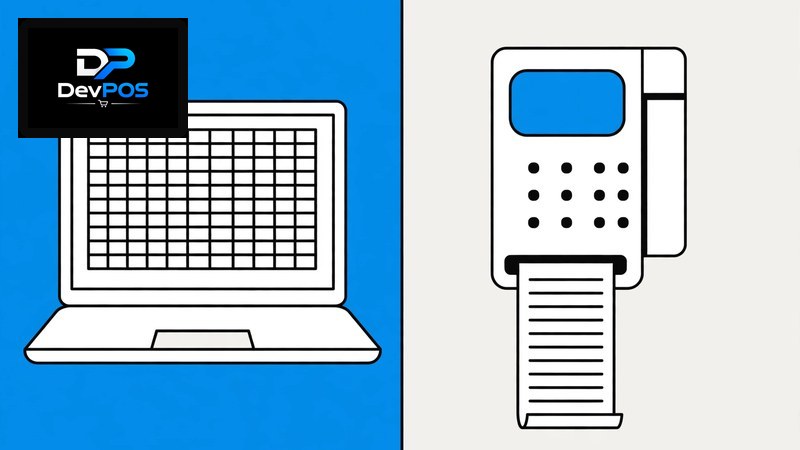
> Short answer: Excel is free and familiar, but it cannot stop double billing, track live stock, or close your day in 5 minutes. A proper retail POS software in Pakistan costs Rs 1,499 a month and saves roughly 45 minutes every single day at closing — that is 22 working hours a month back. Try it free for 15 days with no card, and keep your Excel as backup while you compare.
POS Software vs Excel for Small Business in Pakistan (2026)
Almost every small shop in Pakistan starts the same way: a register, then a nephew who "knows computer" makes an Excel sheet. It feels like progress. And honestly, Excel is not useless — for a tiny shop with 50 products and one counter, it can survive for a while. The question is what it costs you once the shop grows past that point. Let us compare honestly, like shopkeepers, not salesmen.
What Excel does well
Credit where it is due. Excel is free, it works offline, and anyone who has used a computer has opened it. For recording a simple daily sales total, it is fine. If your shop sells 20–30 bills a day and you close the sheet yourself every night, Excel will not embarrass you. Many shops in Faisalabad and Multan ran on Excel happily for years at that size.
Where Excel breaks (and it always breaks at the same places)
Stock lies. Your Excel says 40 pieces. The shelf says 22. Somewhere between the two, sales were entered late, a return was recorded on a different sheet, and the formula broke when someone inserted a row. Excel has no concept of "stock" — it is just numbers in cells that anyone can overwrite, accidentally or otherwise.
No live billing. Excel cannot print a proper receipt, cannot apply a discount rule, cannot stop a salesman from selling below cost. Every bill is manual typing, and manual typing at 8pm with a queue of customers produces mistakes. One wrong zero — Rs 4,500 typed as Rs 45,000 — and your day's hisab is fiction.
Closing takes forever. Dokan band karte waqt: add up the bills, reconcile with cash in the drawer, find the 3 bills entered twice, find the 2 never entered. Forty-five minutes on a good night. With a POS, you press one button: today's sales, cash vs bank, per-counter totals, done in 5 minutes.
Two people cannot use it safely. The moment you and your salesman both open the sheet, versions split. "Final_sales_v2_UPDATED.xlsx" is a joke every shopkeeper knows — and a nightmare when the tax consultant asks which file is real.
History is fragile. One accidental delete, one corrupted file, one laptop stolen — and 3 years of records are gone. No backup, no user log, no way to know who changed what.
The real cost comparison
Excel costs Rs 0 per month. A POS costs Rs 1,499. But count honestly:
- Your time: 45 minutes saved daily at closing = ~22 hours a month. Even at a modest value of your time, that alone is worth 10x the subscription.
- One prevented mistake: a single pricing error or one caught stock discrepancy per month usually exceeds Rs 1,499.
- Theft and leakage: Excel cannot tell you when system stock and physical stock disagree. A POS can, every single day.
The shops that switch do not do it for "technology." They do it because they got tired of the 45-minute closing.
How the options compare
| Daily reality | DevPOS retail software | Excel sheets | Paper register |
|---|---|---|---|
| Closing time | ~5 minutes, one button | ~45 minutes of reconciliation | ~1 hour |
| Live stock accuracy | Automatic per sale | Manual, often wrong | Memory |
| Receipt printing | Yes, Urdu/English | No | Handwritten |
| Who changed what | Full user log | Nobody knows | Nobody knows |
| Backup & safety | Automatic, off-site | One laptop | One register |
| Monthly cost | Rs 1,499 | Rs 0 + your evenings | Rs 0 + everything else |
How much will it cost?
The retail shop module runs on the Essential plan at Rs 1,499 per month — billing, stock, reports, user logins and Urdu interface included. You get a 15-day free trial with no card, and you can run it alongside your Excel for two weeks to compare honestly. Pay via JazzCash, Easypaisa or bank transfer; send the receipt and your account is approved. Check pricing or start your free trial today.
Frequently asked questions
Can I import my existing Excel stock list?
Yes. If your Excel has product names, prices and quantities in columns, it can be imported in bulk instead of retyped. Most shops move their full list in under an hour.
I am comfortable with Excel. Is the POS harder to learn?
It is easier, because there is less to remember. Billing is select-and-print; stock updates itself; reports are one click. Excel required you to build the system. The POS arrives built — you just use it.
What if I want to go back to Excel later?
Your data exports to Excel anytime — sales, stock, customers, everything. Nothing is locked in. In practice, almost nobody goes back once closing takes 5 minutes.
Does it work without internet?
It handles short disconnections gracefully and syncs when the connection returns. For a shop with stable broadband in Lahore or Karachi this is a non-issue; for areas with flaky connections, the offline tolerance covers the gaps.
My accountant asks for records at year end. What do I give him?
Clean monthly sales, purchase, expense and stock reports — exported to Excel or PDF in minutes. Accountants prefer this over a folder of mismatched sheets, and it makes tax filing dramatically simpler.